Long-Distance Grandparent Bedtime Stories: When to Call, When to Record
A practical guide for families choosing between live bedtime calls and a replayable story in Grandma or Grandpa's voice, with the exact Wonder Machine setup and sharing path.
 Brandon Reed
6 min read
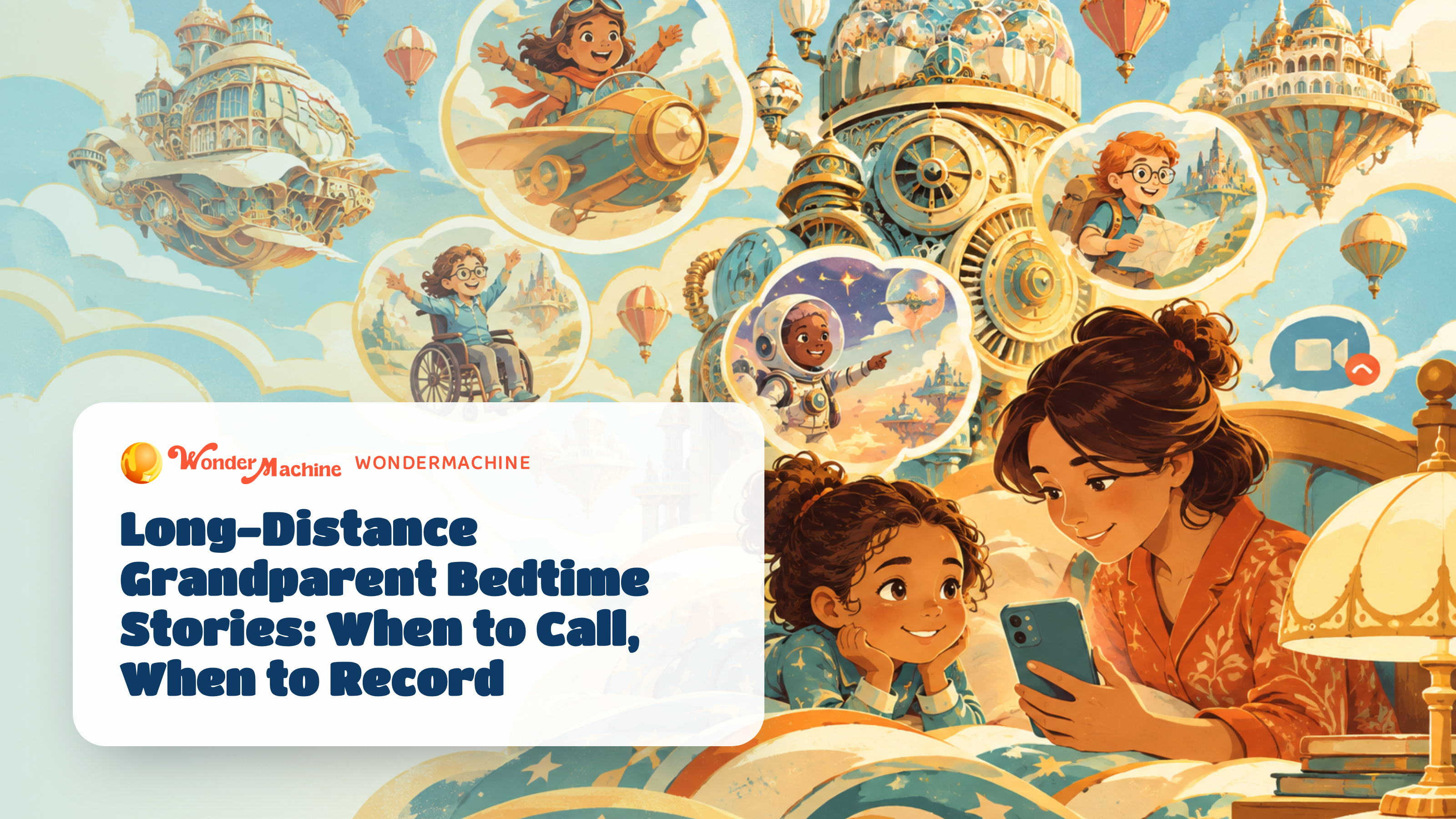
Long distance grandparent bedtime stories can mean Grandpa waiting on a video call, bedtime book open, while you coax your three-year-old out of the bath. You prop the phone beside the bed, but your child goes back for the stuffed rabbit who apparently needs pajamas too. By the time everyone is tucked in, Grandpa’s picture has frozen and your little one is rubbing their eyes. You promise to try tomorrow, wishing the story could stay ready even when the call can’t.
Why do bedtime calls fall apart so often?
A bedtime call needs two households to be ready at once, just when the child’s household has very little room to move. Starting earlier may interrupt supper; starting later may keep a tired child up. A ten-minute delay can use up the whole space you had for a story.

There’s coordination behind the phone, too. One parent may arrange the call, while another handles bedtime and doesn’t know Grandpa is waiting. The grown-up doing the tucking-in needs to know the plan and be able to change it.
A time-zone gap adds another limit. Your child’s evening might fall during Grandma’s working day or after her bedtime. Even a much-loved story becomes difficult to arrange if one household always has to bend around the other.
Agree beforehand: “If tonight runs late, we’ll skip the call. Please don’t wait up.” That gives the bedside grown-up permission to cancel without negotiating, and leaves catching up for a time when nobody is waiting for lights-out.
When is a recorded story better than a live call?
Choose a recorded story when bedtime needs to happen on your child’s timetable; keep a live call for a short session they enjoy joining. Age is a starting point, not a rule. An older child who likes showing Grandma the pictures and discussing the ending may love a regular Sunday story call. If that slot is easy to keep, there’s no need to change it.
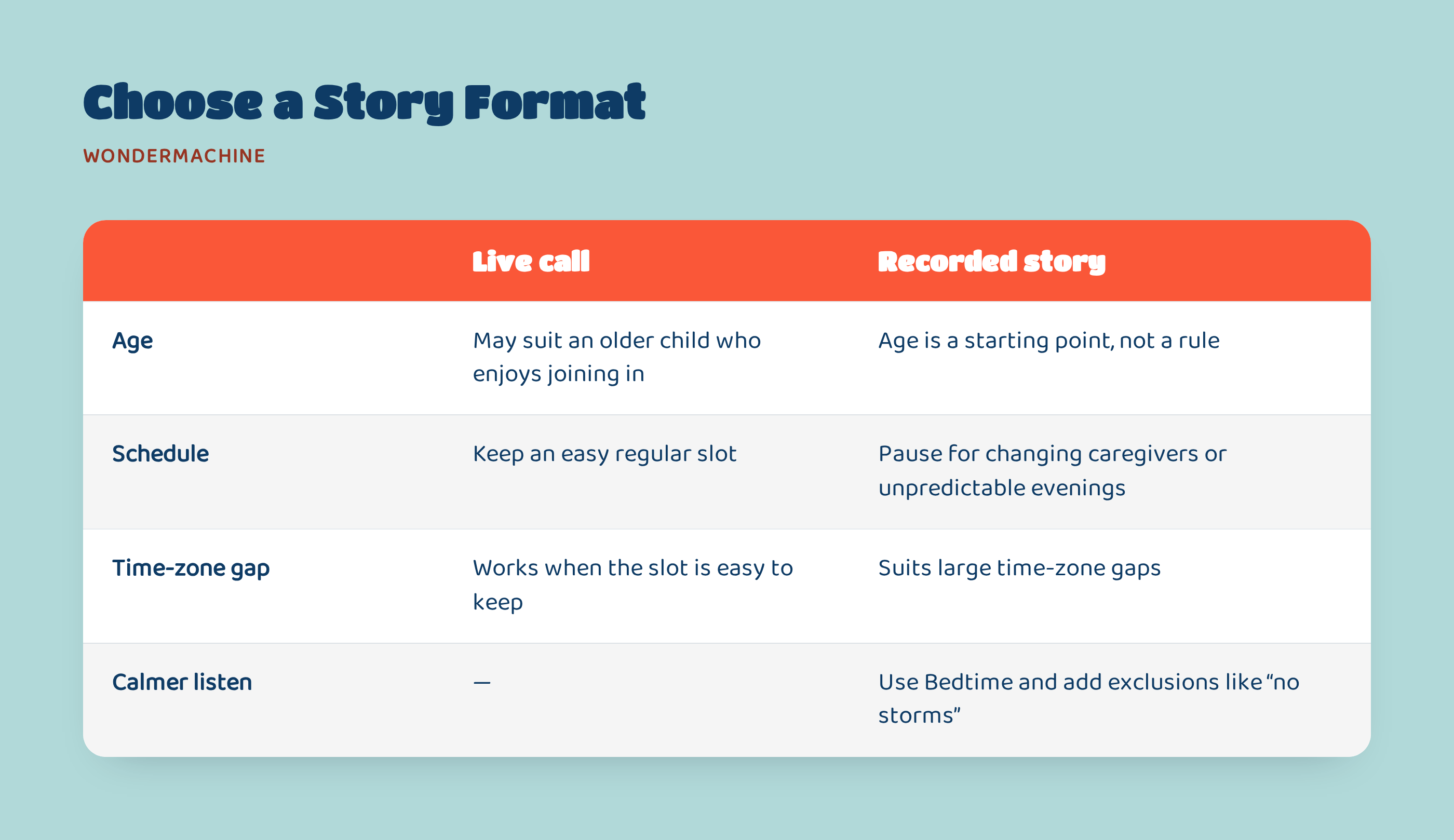
For a younger child who wanders off mid-story, try something you can pause without asking Grandpa to wait. A recording also suits changing caregivers, unpredictable evenings and large time-zone gaps. You can still have live conversations on other days.
Start with one story after pajamas, perhaps with a parent sitting beside the child. Try it on an ordinary night before making a weekly promise. If your child asks for it again, tomorrow’s choice is ready. If they lose interest, stop rather than treating the ending as something they owe the grandparent.
For your rabbit-loving three-year-old, try a story to hear while cuddling their stuffed rabbit after pajamas. In Wonder Machine, a Storyscape is a personalized story written, illustrated and narrated for your child. Choose Bedtime, enter “rabbits” under Weave in What They Love, and add “no storms” under Anything to Exclude? You could ask for a gentle story where your child helps a sleepy bunny settle into its burrow, ready for both of them to say goodnight.
Use Anything to Exclude? for boundaries such as “no getting lost” or “no thunder.” Ask the parent what belongs there, especially if you haven’t shared bedtime recently. You’re making something welcome on a tired Tuesday, without needing a new performance from Grandma each night.
How do you make one in Grandpa’s or Grandma’s voice?
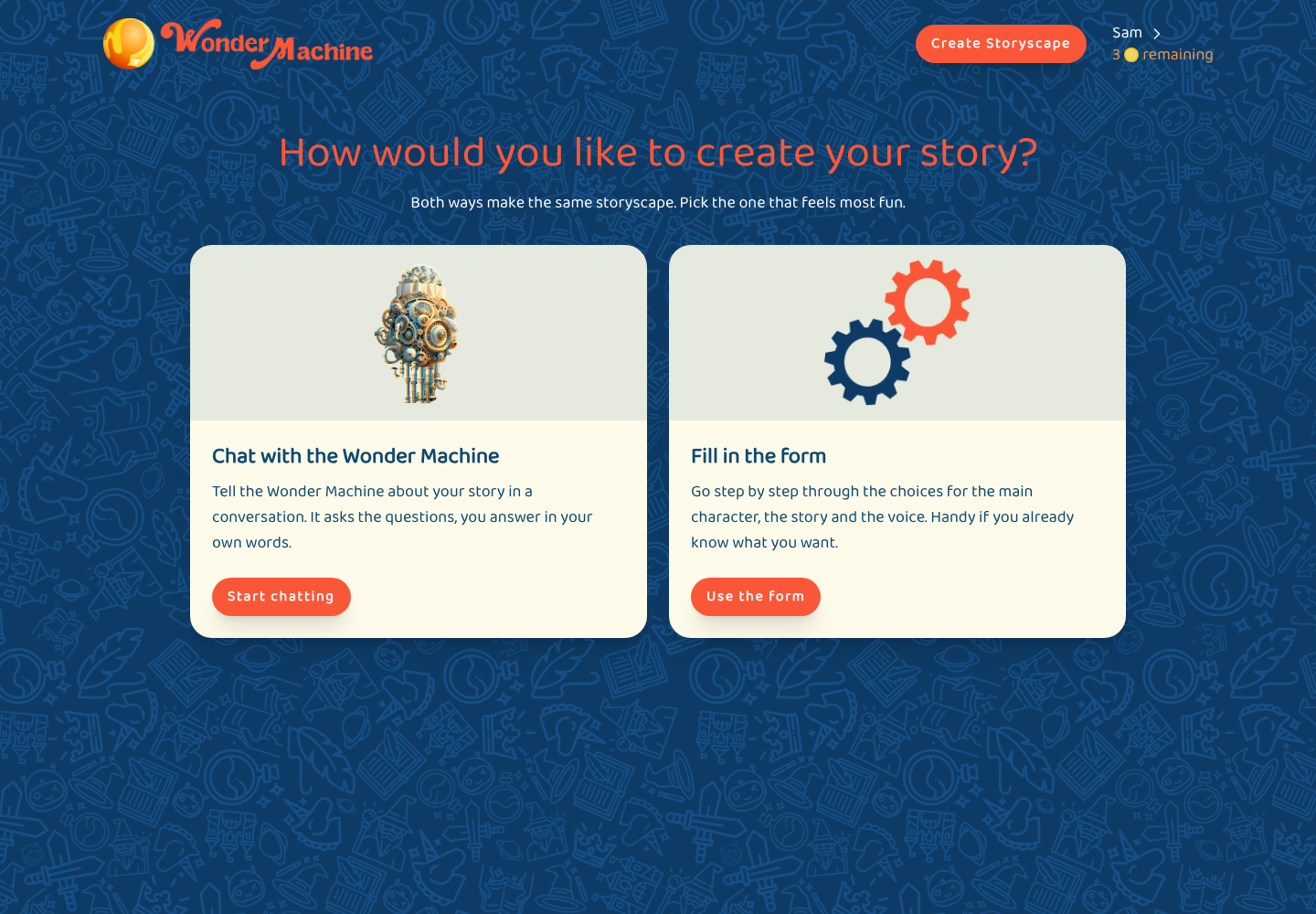
Use the form, not the chat: recording your own narrator voice is only available in the form’s Choose Your Storyteller step. Wonder Machine works in a browser on a phone, tablet or computer, with no app to install. You’ll need a microphone, an account and at least one story credit.
The grandparent reads a short sample aloud, rather than recording all five chapters:
-
Open the form. Log in, click Create Storyscape, then choose Fill in the form and click Use the form.
-
Add the child and story details. Begin at Tell Me About Your Little Hero and work through the appearance and interests choices. Enter your story choices in Choose Their Adventure, then pick an illustration style in Paint Their World. Click Next Step - Narration.
-
Record the sample. At Choose Your Storyteller, click Record Your Own Voice. Press the record button and read the words under Read This Sample Text Aloud in your bedside voice. Recording happens in the browser, with noise suppression on. Choose a quiet spot so you aren’t competing with the television.
-
Listen before uploading. Stop and use Play Recording to check the sample, or Discard Recording to try again. When you’re happy, select Click to Upload Recording and wait for “Your voice has been uploaded successfully!” Click Next Step - Review & Edit and keep the window open while the story is written.
-
Check the whole book. In Review & Edit, read each chapter and choose between its two picture options. Edit the Storyscape Title and choose the Cover Image. Request Changes makes a new version of the story and pictures to review. Click Finalize when you’re happy; the finished-story link arrives by email, typically three to five minutes later.
If the story and pictures are ready before the narration, no story credit is lost. Look for the email “Your Storyscape is Waiting on Your Narration” and use Continue Your Storyscape to finish at a quieter moment.
How should the family share it, and what stays private?
Send the parent the private link for the simplest bedtime handoff: anyone with it can open and play the Storyscape without an account. On the Storyscape page, find Tell Your Hero’s Tale Far & Wide, use Copy beside the link, and send it to the grown-up handling bedtime. It opens the narrated, page-turning picture book.
Use the private link for the narrated book with pages, an MP3 for their usual audio player or offline listening, and podcast publishing only for public sharing. For an MP3, choose Download (Audio only) in the same section. Send the file to the parent and ask them to test playback before bedtime, so it doesn’t become another job at lights-out.
“Private link” means the story isn’t publicly listed, not that access is restricted to named relatives. Anyone who receives the link can open it, including someone it’s forwarded to. Agree before passing it further along.
Podcast publishing is separate and optional. It makes the story public on the Wonder Machine Podcast and allows it to appear on the public examples page. Leave publishing off for family-only sharing; Grandma can hear the finished story through the private link.
Before recording, make sure the grandparent understands and agrees to how their voice will be used. The full narration uses a voice cloned from the short sample; it isn’t them reading every sentence or speaking live. You can tell your child: “Grandpa helped make this story. It reads in a voice made from his recording.”
What you enter into Wonder Machine is used only to create the Storyscape and is never sold or shared for marketing. The cloned voice is removed from the voice service about two hours after narration is made. That doesn’t mean the finished story or all other story data is deleted. The privacy policy explains more.
Back at the bedside, the stuffed rabbit can still need pajamas. Once your three-year-old is tucked in, you open the story Grandpa sent. His narration is ready when your child is, with no one waiting on the other end. Tomorrow, “Rabbit liked your story too” can be something to tell Grandpa when you talk.
Create a Storyscape in a grandparent’s voice, then send the private link or MP3 to the family for bedtime.